
Use OpenClaw to Control Robots
This document explains how to use OpenClaw to connect to AGILEBOT robots (either a real robot or a cloud simulation robot), control the robot with natural language, and perform basic control operations.
Quick Start
1. Environment Preparation
Complete the following preparations before starting:
- If you already have a real robot, you can use it directly. If you do not have one yet, you can apply for a cloud simulation robot on Airbot for evaluation. Airbot Console
- Install OpenClaw: OpenClaw Official Website
- Configure the Agent Skills runtime environment: Make sure Node.js is installed and configured locally. For details, see Node.js Download and Installation Guide
2. Install Agent Skills
Run the following command in your terminal to start the interactive installation flow:
npx skills add https://dev.sh-agilebot.com -gTIP
After execution, the installation tool will automatically scan locally installed Agents. Follow the terminal prompts to select OpenClaw to complete the skill installation. For detailed instructions, refer to: Agent Skills
Usage Examples
NOTE
- If you are using a cloud simulation robot, follow the full procedure below.
- If you are using a real robot, start directly from step 6.
- To switch the interface language to English, complete the payload and safety settings first, then enter the home page and switch the language manually.
- In the next version, the interface language will switch automatically based on the page settings.
Apply for and activate robot resources in the Airbot Console, start the robot, and note the password for the visitor account.
Access the robot and log in with the above account and password:
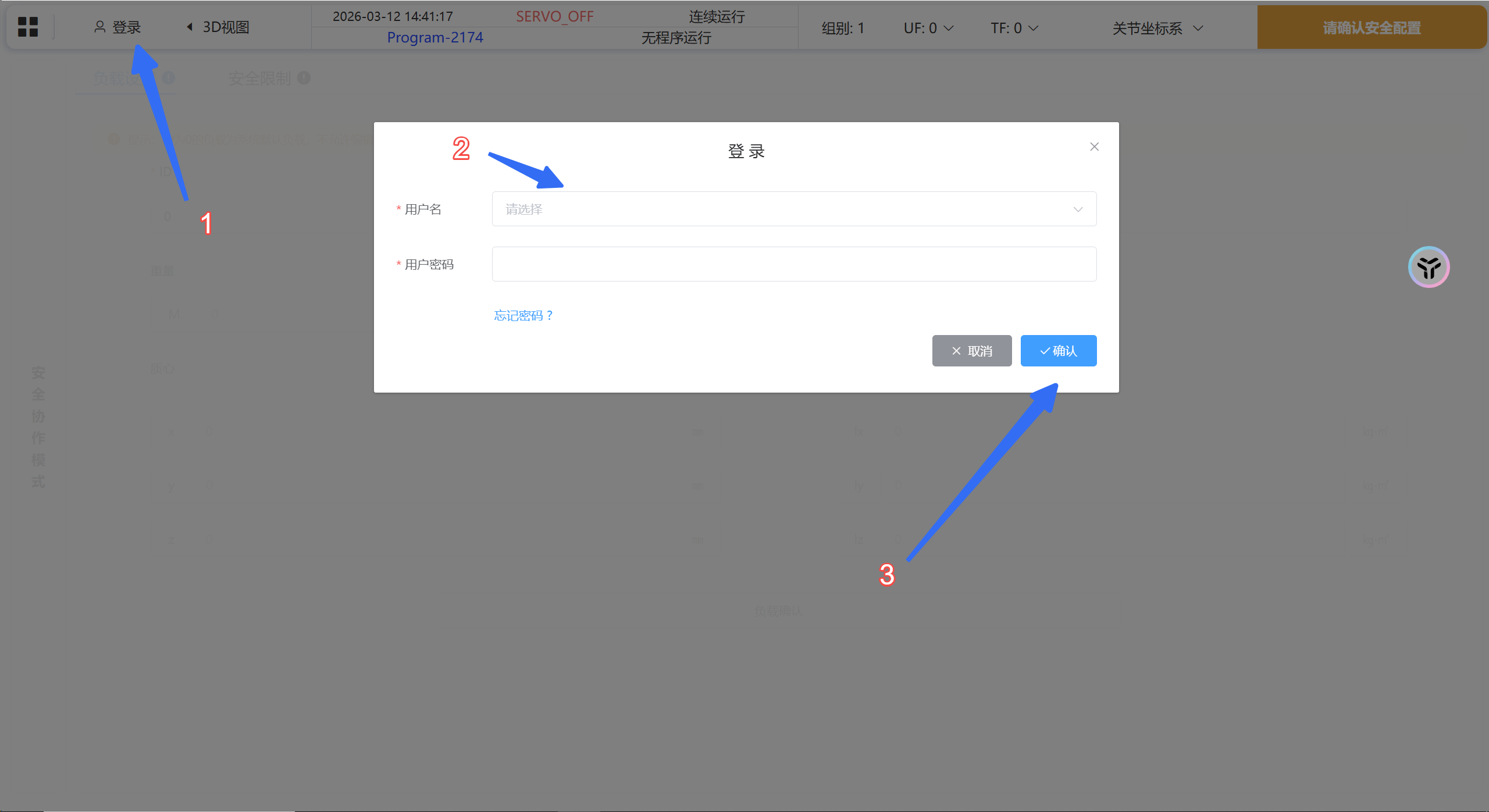
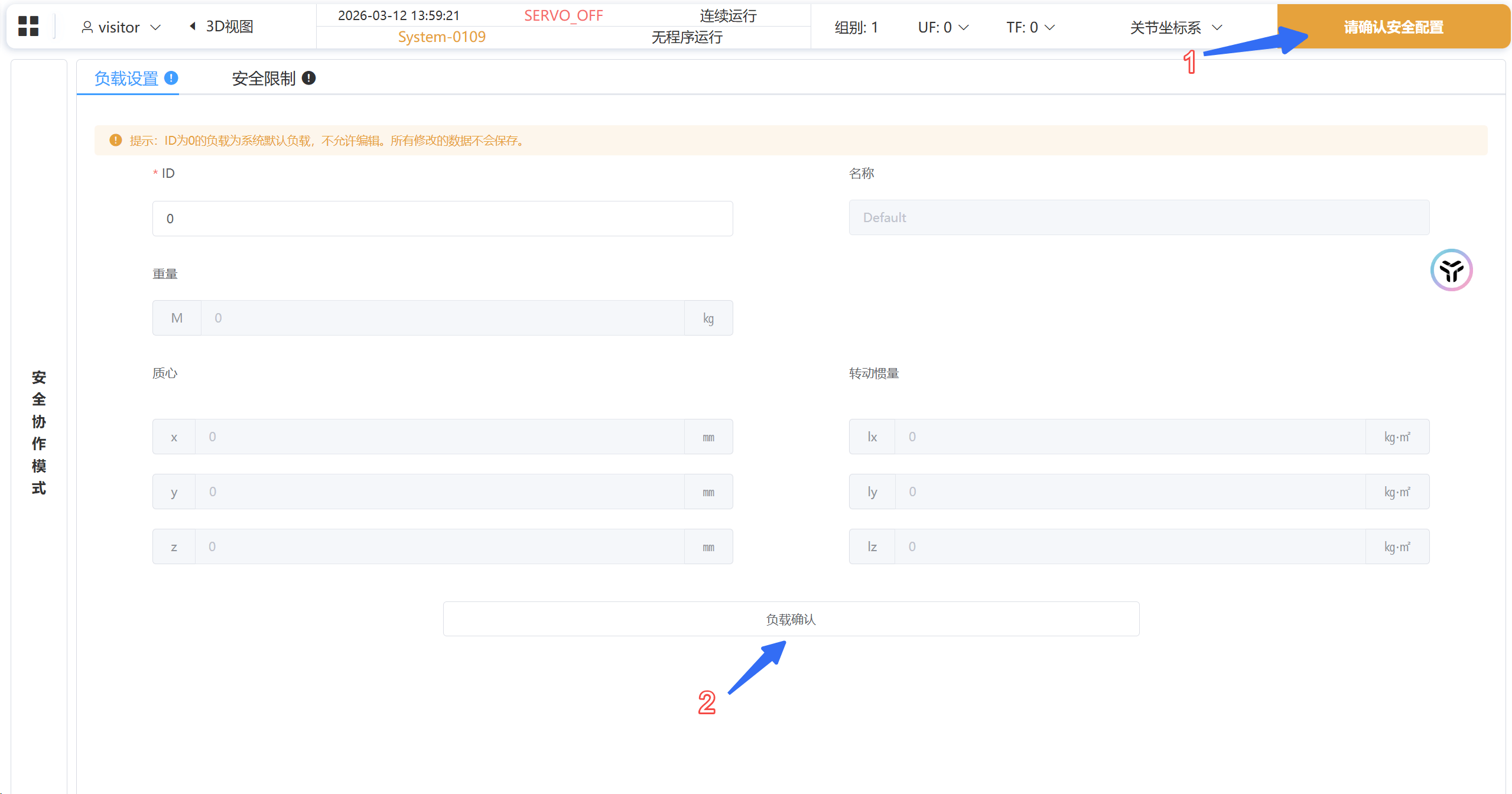
Login Page Confirm payload settings:
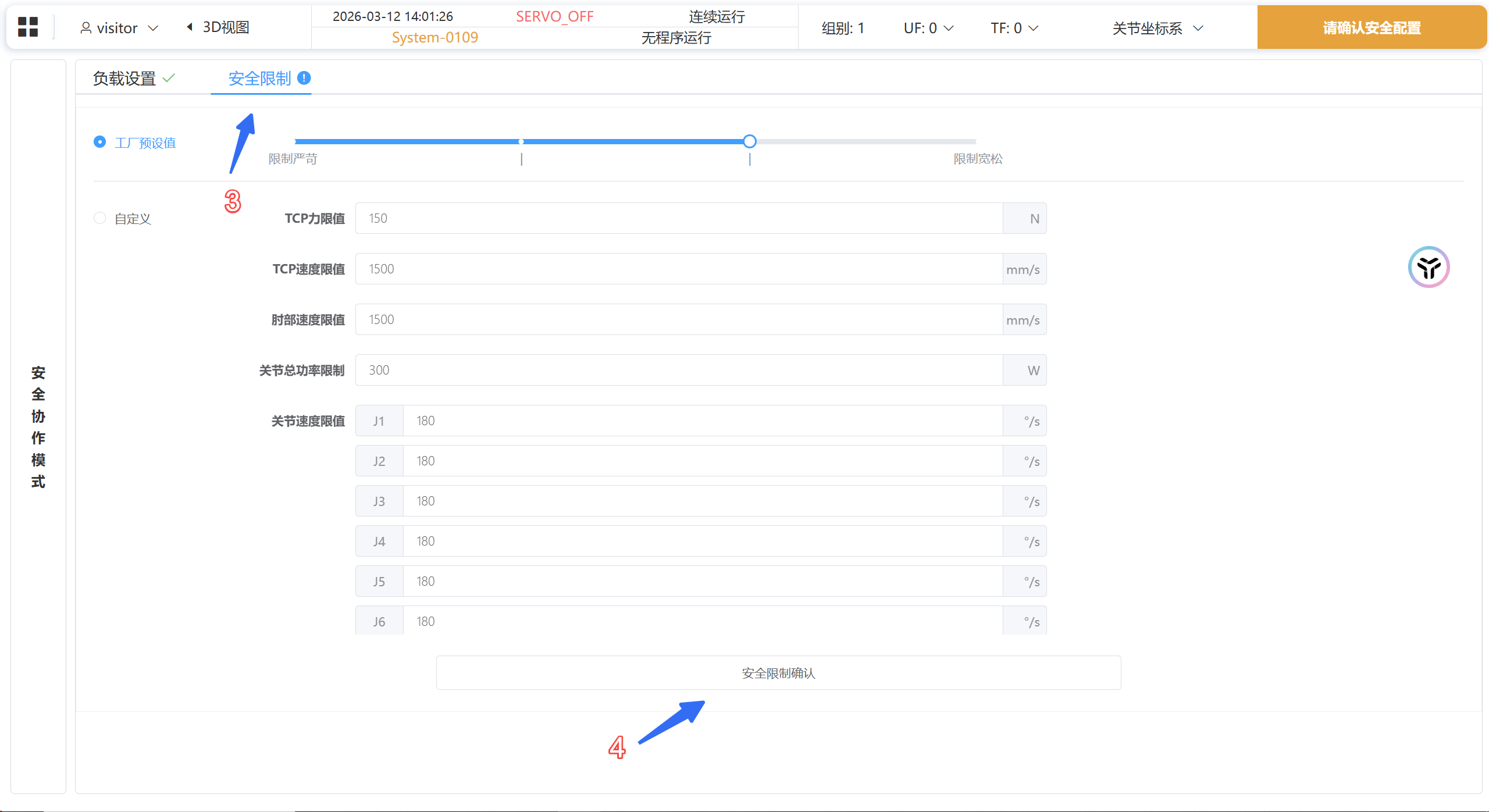
Confirm safety settings:
After entering the home page, switch the interface language to English:
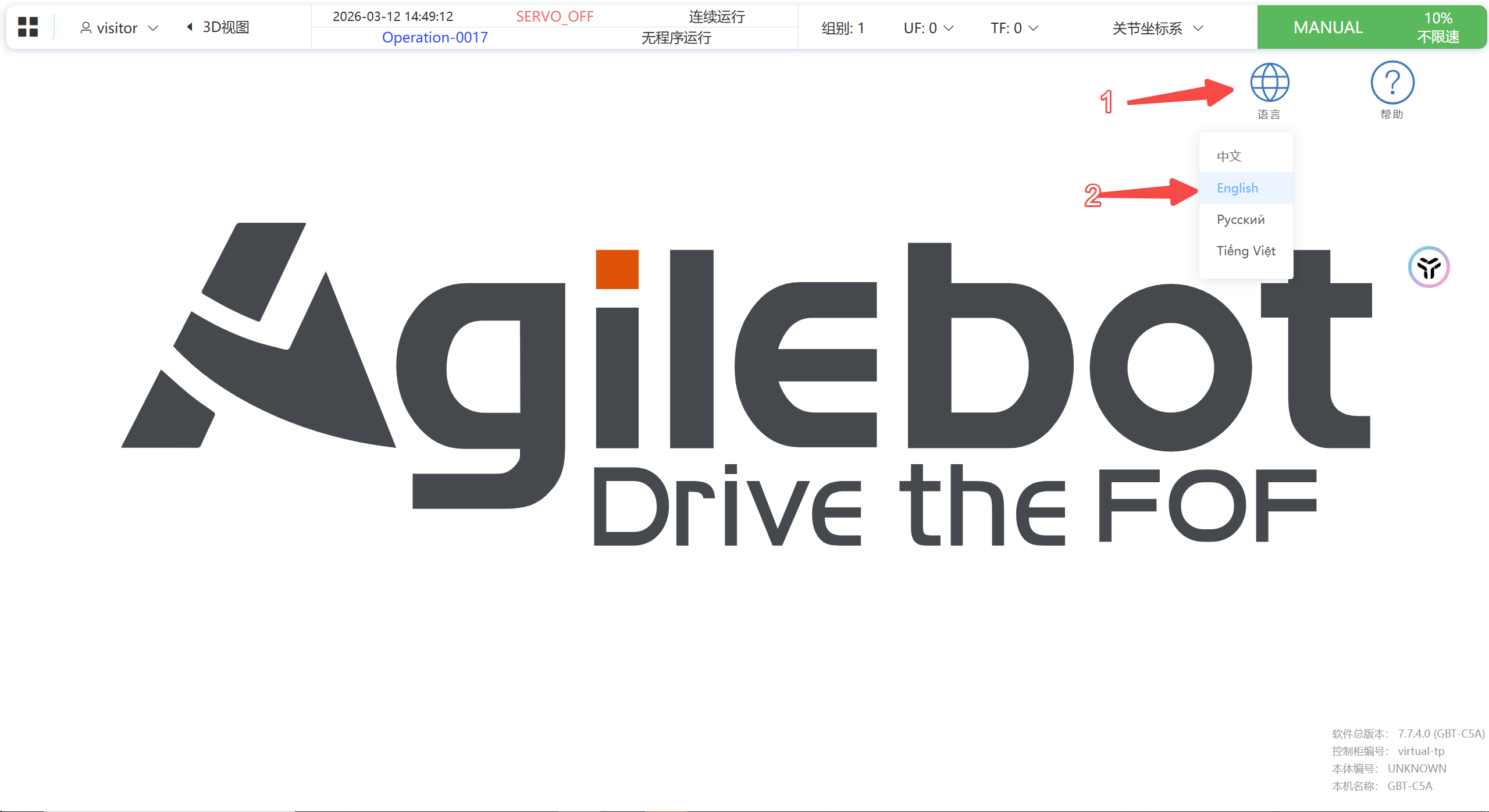
Language Switch Press
Ctrl+F1to reset errors and power on.Open OpenClaw and describe the task to the Agent, for example:
I have an AGILEBOT robot with IP address 192.168.1.100. Please help me connect to the robot and read its current position.NOTE
- Cloud Simulation Robot: The IP address is the domain name part in the browser address bar (excluding the port number and the path after it). For example, if the address bar shows
http://fl6a677xl1xw.instances.airbot-dev.sh-agilebot.com:5613/#/system/first_boot_confirm, the IP address isfl6a677xl1xw.instances.airbot-dev.sh-agilebot.com. - Real Robot: The default IP address is
10.27.1.254.
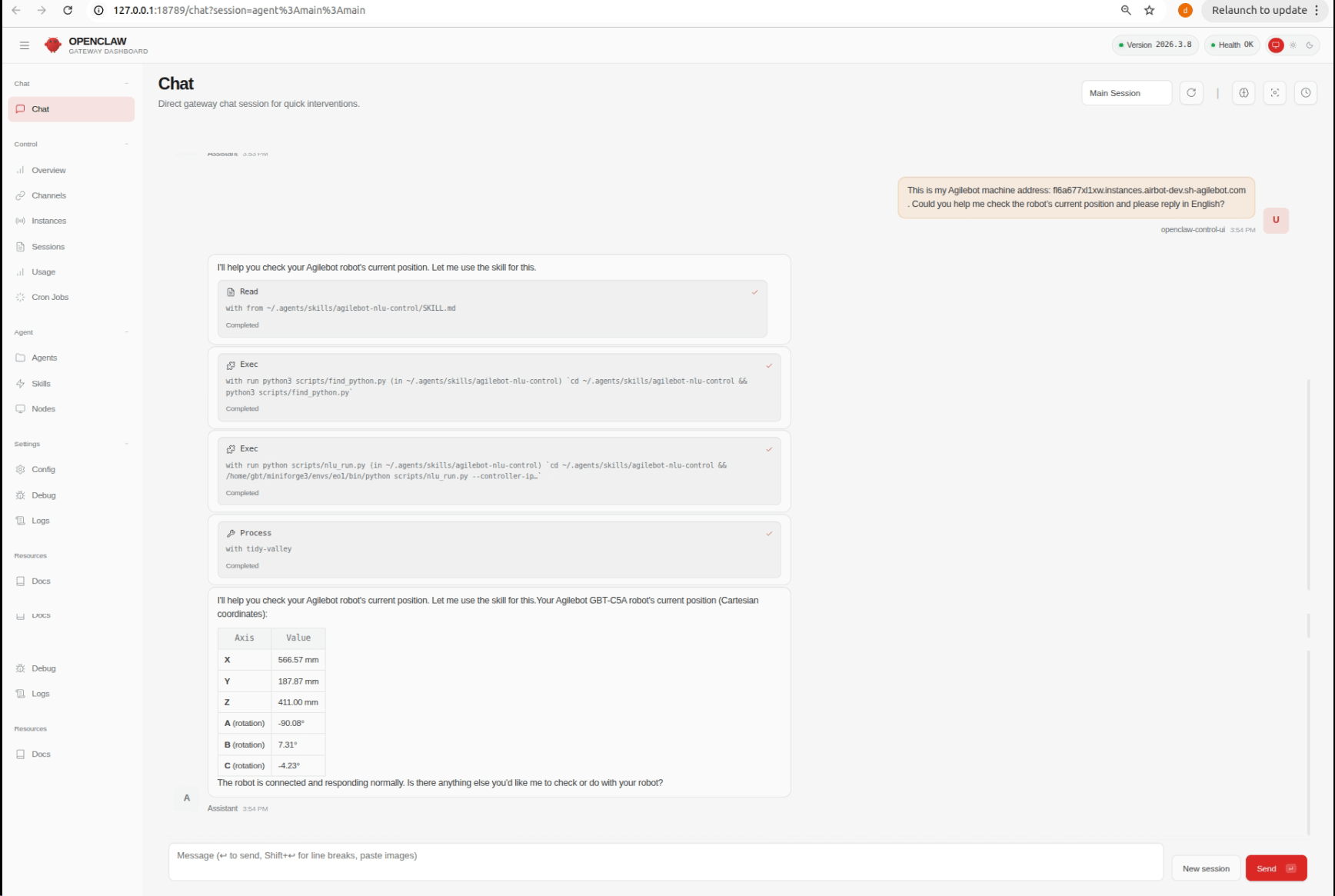
Conversation Demo
The following example shows an actual conversation with the Agent in OpenClaw:
Warning
After installing OpenClaw and Agent Skills, the related capabilities will run with full Agent permissions. Please use in a trusted environment.
When working with real robot movements, always operate in a safe environment and confirm robot status, coordinate system, and motion range beforehand.