Agent Skills
Agent Skills extend AI agents (such as Codex and Claude Code) with standardized execution workflows and tooling for industrial or development scenarios.
Compatible Agent Types
Agent Skills currently support automatic detection and installation for the following AI tools and CLIs:
- IDE / Editors: Cursor, Windsurf, Trae, Trae CN, VS Code (via Copilot / Continue), Neovate, Pochi
- Command-Line (CLI): Claude Code, Kimi Code CLI, Gemini CLI, iFlow CLI, Kiro CLI, Mistral Vibe
- Frameworks / Platforms: OpenHands, Replit, Cline, Roo Code, Codex, Amp, Antigravity, Augment, OpenClaw
- Others: CodeBuddy, Command Code, Droid, Junie, Kilo Code, Kode, MCPJam, Mux, OpenCode, Pi, Qoder, Qwen Code, Zencoder, AdaL
Quick Start
1. Environment Preparation
Before installing, make sure Node.js is installed locally. Guide: Node.js Download and Installation
2. Run the Install Command
Run the following command in your terminal to enter the interactive installer:
npx skills add https://dev.sh-agilebot.com -gTIP
After running the command, the tool scans locally installed agents. Follow the prompts to select which agents to install the skill into (for example, Cursor or Claude Code).
Available Skills
agilebot-nlu-control (Natural Language Control for Agilebot)
This skill is designed for Agilebot robots. It uses NLU (Natural Language Understanding) so the agent can parse and execute control instructions directly.
- Environment requirements: system Python must be available and Conda must be installed. The skill checks required dependencies and guides installation if anything is missing.
- Trigger: when the conversation mentions "Agilebot" and provides a concrete control intent.
- Core features: natural-language command parsing and execution, robot status queries, basic motion control, parameterized motion commands (e.g., distance/angle/speed).
Warning
Installed skills run with full agent permissions. Make sure you are operating in a trusted environment before use.
Robot motion can be hazardous and may cause injury or equipment damage. Use in a safe environment. We are not responsible for any risks or losses arising from usage.
Usage Example
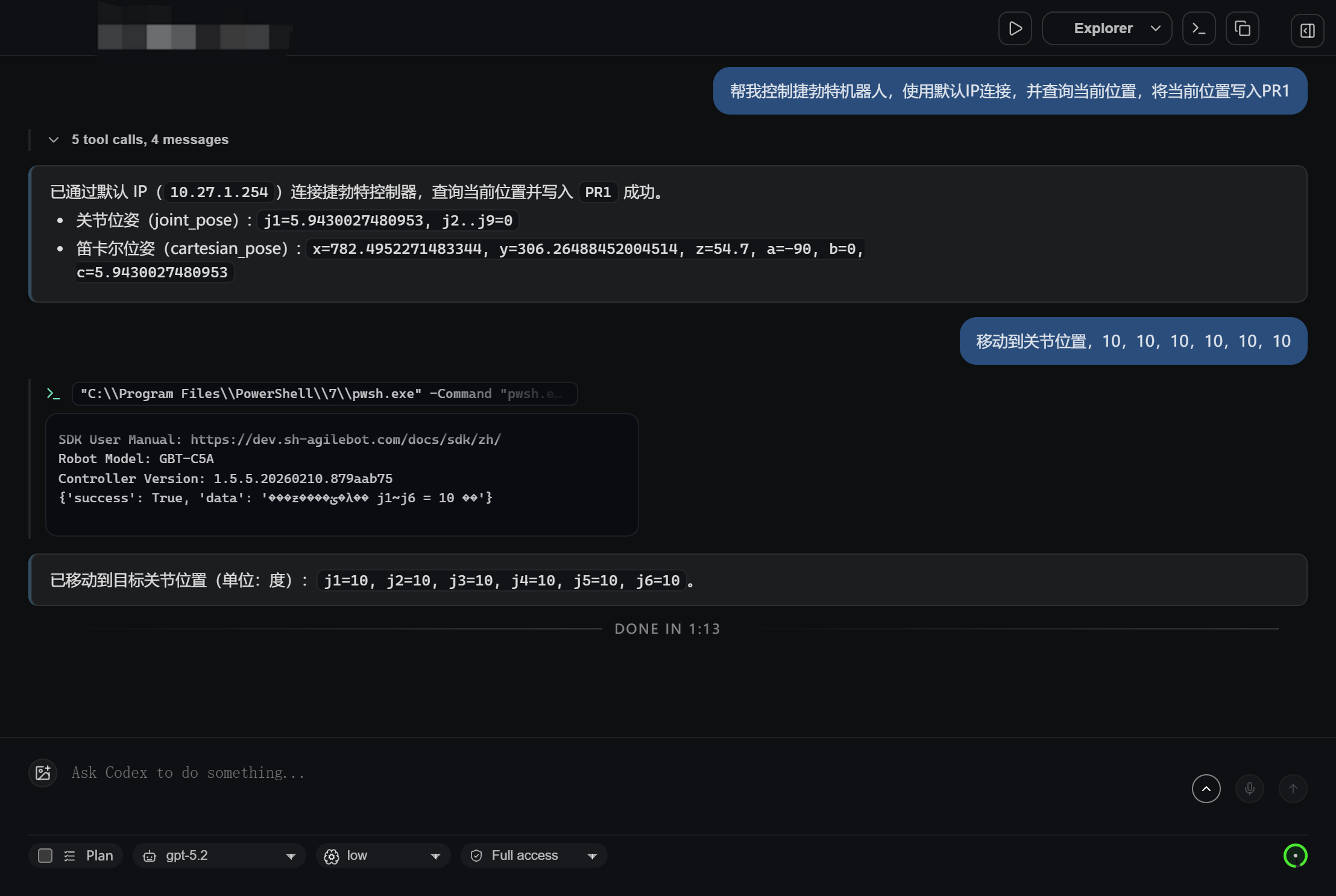
Using Codex as an example, after installation you can enter instructions directly in the chat: