
Moveit2 + Gazebo Co-simulation
This section explains how to perform a joint simulation of Agilebot robots using MoveIt 2 and Gazebo. Motion planning is first carried out using MoveIt 2, and the planned trajectory is then sent to Gazebo via an action interface for simulation.
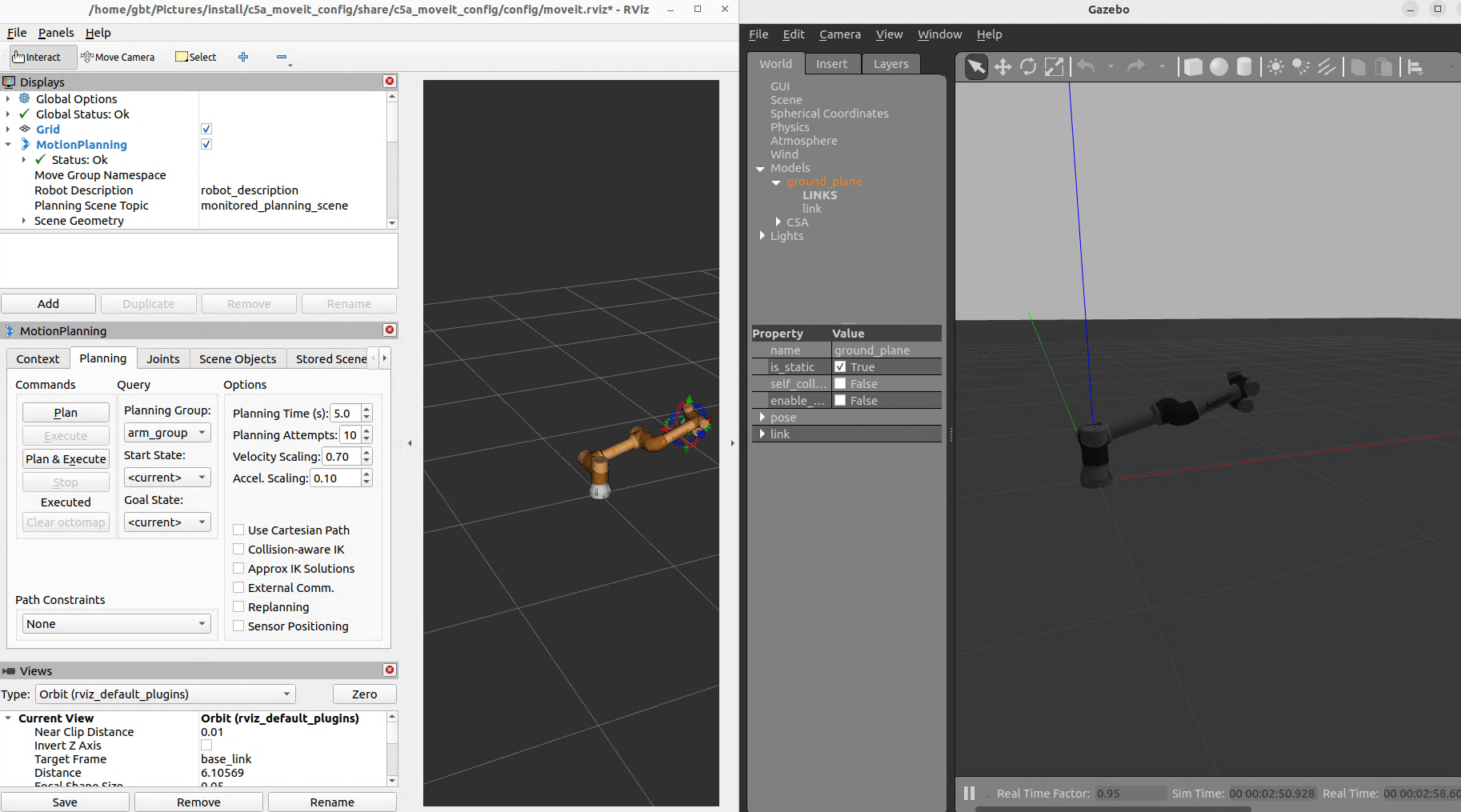
You can combine Moveit2 and Gazebo to create complex simulation scenarios for Agilebot robots. Follow the steps below:
Terminal 1: Launch Gazebo Simulation
First, start the Gazebo simulation in one terminal window:
ros2 launch <robot type>_moveit_config gazebo.launch.pyExample for C5A model:
ros2 launch c5a_moveit_config gazebo.launch.pyTerminal 2: Launch Moveit2 and RViz
Then, start Moveit2 and RViz in another terminal window:
ros2 launch <robot type>_moveit_config gazebo_moveit_rviz.launch.pyExample for C5A model:
ros2 launch c5a_moveit_config gazebo_moveit_rviz.launch.pyThis will simultaneously launch:
- Gazebo simulation with the robot model
- Moveit2 RViz interface for motion planning
Supported Robot Models
The following collaborative robot models are currently supported for co-simulation:
- C5A - 5kg payload collaborative robot
- C7A - 7kg payload collaborative robot
- C12A - 12kg payload collaborative robot
- C16A - 16kg payload collaborative robot
To use other robot models, simply replace {robot type} in the commands with the corresponding model, for example:
# C7A robot
ros2 launch c7a_moveit_config gazebo.launch.py
ros2 launch c7a_moveit_config gazebo_moveit_rviz.launch.py

# C12A robot
ros2 launch c12a_moveit_config gazebo.launch.py
ros2 launch c12a_moveit_config gazebo_moveit_rviz.launch.py

# C16A robot
ros2 launch c16a_moveit_config gazebo.launch.py
ros2 launch c16a_moveit_config gazebo_moveit_rviz.launch.py
Note:
- Only C5A robot is currently supported for co-simulation.
- Support for other collaborative robots is under development.
- Users can customize configurations using Moveit2 official documentation.